







If you’re an Overseas Filipino Worker (OFW) residing in Cyprus, it’s crucial for you to obtain a valid Overseas Employment Certificate (OEC) when planning a visit to the Philippines and subsequently returning to your job site abroad. Whether you’re going home due to an emergency or for a vacation with your family,How to Apply OEC Certificate in Cyprus it is essential to obtain an OEC if you intend to fulfill or extend your employment contract abroad. The OEC serves as your pass and proof of legal employment, enabling you to travel and resume work abroad. If you’re unsure about the process of obtaining an OEC in Cyprus, we have provided a detailed guide below.
The Overseas Employment Certificate (OEC) is a vital document that all OFWs must obtain when traveling back to the Philippines for vacation and subsequently returning to their overseas employment. The Philippine Overseas Employment Administration (POEA), now known as the Department of Migrant Workers (DMW), uses the OEC to verify the legality of the worker’s employers and their ability to employ them.
Moreover, the OEC serves as an exit clearance that immigration officers inspect before OFWs can depart from Philippine airports for employment purposes. As a result, OFWs residing in Nicosia and the nearby areas are advised to obtain their OEC at the Philippine Overseas Labor Office (POLO) in Cyprus.”

Requirements
“For overseas Filipino workers (OFWs) in Cyprus who are vacationing in the Philippines and planning to return to work abroad, the following requirements must be fulfilled, as stated by the Department of Manpower and Welfare (DMW):
For workers with existing DMW records vacationing for the first time and returning to the same employer and job site to fulfill or extend their employment contract
- Fill out the POPS-BaM Appointment form.
- Provide three copies of the BM Information Sheet.
- Present a valid passport with a minimum validity of 6 months (photocopy of the photo page).
- Submit a copy of the previous Overseas Employment Certificate (OEC) or work visa.
- Provide a valid work visa, work permit, or any equivalent document.
- Ensure that the employment contract has been verified by the Philippine Overseas Labor Office (POLO).
-
For workers with existing DMW records returning to the same employer but in a different job site
- Fill out the POPS-BaM Appointment form.
- Provide three copies of the BM Information Sheet.
- Present a valid passport with a minimum validity of 6 months (photocopy of the photo page).
- Submit a copy of the previous OEC or work visa.
- Provide a valid work visa, work permit, or any equivalent document.
- Ensure that the employment contract has been verified by POLO.
- Submit a photocopy of the confirmed round-trip airline ticket and other documents related to flight details.
- Obtain a letter from the employer confirming the worker’s transfer to a different job site.
-
For workers without existing DMW records and those who have changed employers on-site
Fill out the POPS-BaM Appointment form.
- Provide three copies of the BM Information Sheet.
- Present a valid passport with a minimum validity of 6 months (photocopy of the photo page).
- Submit a copy of the previous OEC or work visa.
- Provide a valid work visa, work permit, or any equivalent document.
- Ensure that the employment contract has been verified by POLO.
- Submit a photocopy of the confirmed round-trip airline ticket and other documents related to flight details.
- Prepare a sworn statement explaining how the worker obtained employment.
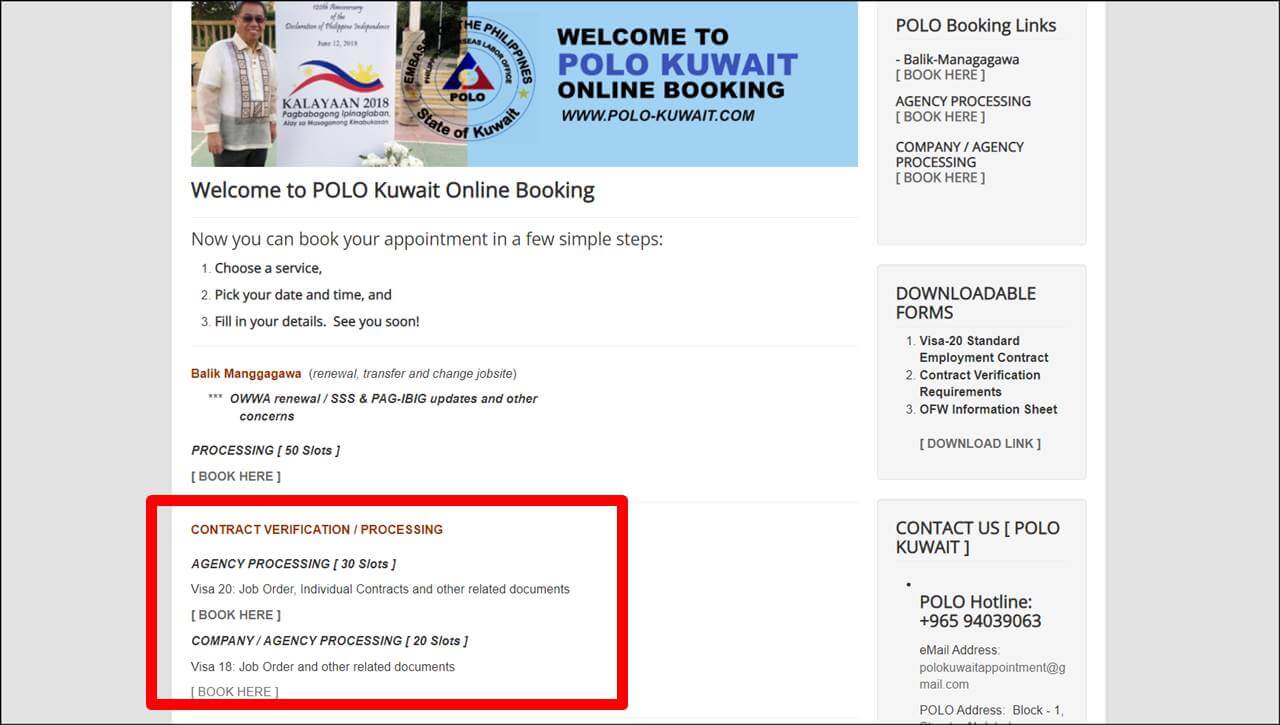
It is important to note that OFWs without a verified employment contract by POLO Cyprus should request contract verification before obtaining the OEC. They should contact the POLO office for further instructions since detailed information may not be available online due to the absence of a Facebook page and website for POLO Cyprus.
Processing Fees
If you need to obtain your OEC in Cyprus, the following fees are applicable and should be paid in Euro based on the prevailing foreign exchange rate:
- OEC processing fee: P100
- OWWA membership fee: US$25
Qualifications
The Overseas Employment Certificate (OEC) serves several purposes, including verifying the legality of overseas Filipino workers’ (OFWs) employment and ensuring their coverage with the government’s protection, assistance, and benefits. These benefits may include exemptions from travel tax and terminal fees. Additionally, OFWs with valid OECs traveling with their spouses and dependents can enjoy reduced travel tax. However, these privileges are only accessible to certain qualified workers who are eligible to obtain an OEC.
The following categories of OFWs are qualified to obtain an OEC:
- OFWs who acquired work from an overseas employer or sponsor through direct hiring.
- OFWs who acquired employment through a recruitment agency.
- OFWs hired through the Department of Labor and Employment’s (DOLE) Government Placement Branch (GBP).
- OFWs with existing records in the DOLE’s database who are returning to the same job site after vacationing, provided they have an employment contract or working visa.
- OFWs with existing records in the DOLE’s database who are returning to the same employer but in a different job site.
- OFWs without records in the DOLE’s database or those who change employers on-site.
On the other hand, according to the Department of Labor and Employment (DOLE), Filipinos with the following statuses do not need to obtain an OEC:
- Immigrants.
- Permanent residents.
- Dependents/spouses of foreign nationals.
- Intra-company transferees.
- Vacationing OFWs who are visiting countries other than their job site.
- Trainees.
- US J1 visa holders or participants in cultural exchange programs.
- Other non-OFW statuses as evaluated by the DOLE.
It’s important for OFWs to check the latest guidelines and requirements from the DOLE or Philippine Overseas Employment Administration (POEA) to ensure compliance with the current regulations regarding OEC issuance and exemption.
How to Book an OEC Appointment in POLO Cyprus
To create a POPS-BaM (Philippine Overseas Employment Administration Online Processing System – Balik-Manggagawa) account, follow the steps outlined below:
- Visit the official website of the Philippine Overseas Labor Office (POLO) or the Department of Labor and Employment (DOLE) in Cyprus.
- Look for the registration or sign-up option on the website. It may be labeled as “Create an Account” or something similar.
- Click on the registration or sign-up option to begin the account creation process.
- Fill in the required information accurately. This may include personal details such as your full name, date of birth, address, contact number, email address, and other relevant information.
- Create a username and password for your POPS-BaM account. Make sure to choose a strong password that includes a combination of letters, numbers, and special characters to enhance security.
- After providing all the necessary details, review the information you entered to ensure its accuracy.
- Submit your registration form. You may receive a confirmation email or notification stating that your account has been successfully created.
- Once you have created your POPS-BaM account, you can proceed to book an Overseas Employment Certificate (OEC) appointment through the online system.
- Follow the instructions provided on the website to schedule your appointment. Make sure to have all the required documents and information ready before the appointment date.
- Attend the scheduled appointment at the designated POLO or DMW office in Cyprus on the specified date and time. This appointment is necessary to secure your OEC, which is an important document for Filipino overseas workers.
Remember, it’s always advisable to check the official websites or contact the relevant authorities for the most up-to-date and accurate information regarding the process of creating a POPS-BaM account and booking an OEC appointment in Cyprus.
How to Register on POPS-BaM (For New Users)
It appears that you have provided a set of instructions for visiting the DMW Online Services Portal/POPS-BaM website and registering an account. Here is a breakdown of the steps you mentioned:
- Visit the DMW Online Services Portal/POPS-BaM website: Open your web browser and navigate to the website. The specific URL should be provided to you or can be found through an online search.
- On the e-Registration section, click “Let’s Go and Register”: Look for the e-Registration section on the website and click on the “Let’s Go and Register” button.
- Check the “I Accept the Terms of Use”: Read through the terms of use and, if you agree, check the box or click the button indicating that you accept the terms.
- Fill out the required fields and click “Register”: Provide the necessary information in the registration form, such as your name, email address, contact details, etc. Once you have filled out all the required fields, click the “Register” button to proceed.
- Check your registered email on POPS-BaM and copy the provided Temporary Password: Open your email account associated with the registration and locate the email from POPS-BaM. Copy the temporary password provided in the email.
- Input the Temporary Password and change it to your chosen password: Return to the registration page on the DMW Online Services Portal/POPS-BaM website. Enter the temporary password you copied from the email and follow the instructions to change it to a password of your choice. This will be your permanent password for logging into your account.
- Once you’ve logged in, click “My Profile” on the right of the dashboard: After successfully logging in, locate the “My Profile” option, which is typically found on the right side of the dashboard or navigation menu.
- Fill out the required details: Access your profile and provide the necessary information, such as your personal details, contact information, and any other required fields.
- Double-check your account details and click “Update Profile”: Review the information you have entered, ensuring its accuracy and completeness. If everything is correct, click the “Update Profile” button to save your changes.
- Fill out the Identification Details: Navigate to the section where you can provide your identification details, such as your passport or other identification documents. Follow the instructions and enter the required information.
- Input your Beneficiary details: Locate the section where you can input your beneficiary details, which may include information about your dependents or designated recipients. Fill in the necessary fields as per the instructions provided.
- Upload a Profile Picture and a copy of your Passport to finish the account setup: Look for the options to upload a profile picture and a copy of your passport or any other required documents. Follow the instructions to upload the respective files.
Once you have completed all these steps, your account setup on the DMW Online Services Portal/POPS-BaM website should be finished.
How to book an OEC Appointment in POPS-BaM
“If you already have a POPS-BaM account, make sure to review and update your employment information. Avoid creating multiple accounts to avoid complications when applying for your OEC. For OFWs with old BM accounts, it is advisable to transfer your records to POPS-BaM.
To transfer your old BM record, follow these steps:
- Go to the POPS-BaM website and access the DMW Helpdesk section.
- Click on “Transfer old BM record.”
- Wait for up to 8 hours for your details to match.
- Book an OEC appointment by following the steps below:a. Visit the DMW Online Services Portal/POPS-BaM website. b. Click on “Let’s Go” and log in. c. On the dashboard, select “Balik Manggagawa” under “My Links” and click “Next.” d. If your profile is incomplete, provide the necessary information to proceed. e. Enter your flight date and click “Next.” f. If you are not a Balik Manggagawa or not returning to the same employer and job site, answer “NO” to the relevant questions to continue with the booking. g. Update the details on your contract and click “Submit.” h. Choose a processing site and click “Next.” i. Take a screenshot or print your confirmed POPS-BaM appointment form.”
How to Apply for OEC in POLO Cyprus
Please note that applying for an OEC (Overseas Employment Certificate) in POLO Cyprus is only necessary for Overseas Filipino Workers (OFWs) who have changed employers or are returning to a different job site, and for those without existing records with the Department of Manpower and Welfare (DMW). Additionally, POLO Cyprus will not issue the OEC for OFWs without existing DMW records, verified Employment Contracts, or for those who arrived in the country only holding a visit or tourist visa and obtained a work visa.
Instead, you should request a Contract Verification from POLO Cyprus, as it is a requirement when applying for an OEC at DMW offices in the Philippines. To apply for an OEC in POLO Cyprus, follow the steps below:
- Visit POLO Cyprus on your appointment date.
- Proceed to the receptionist and submit the required documents for evaluation.
- Accomplish and submit the forms provided by the receptionist.
- If you qualify to receive an OEC, pay the applicable fees.
- Your OEC will then be issued to you, or you can choose to print it online via POPS-BaM (Philippine Overseas Labor Office – Balik-Manggagawa Online Processing System).
Please note that it is always advisable to check with the relevant authorities or official sources for the most up-to-date and accurate information regarding the OEC application process in POLO Cyprus.
How to Get OEC Online in Cyprus
If you are a Balik Manggagawa or a worker returning to the same employer and job site in Cyprus, you have the option to obtain your Overseas Employment Certificate (OEC) online. Additionally, if you are a returning worker hired by GBP (Global Placement Partner), you can also apply for an OEC exemption through the POPS-BaM (Pre-Departure Orientation Seminar – Balik Manggagawa) program, which waives the OEC processing fee. To obtain your OEC online in Cyprus, please follow the steps provided below:
- Go to the DMW Online Services Portal/POPS-BaM website.
- Navigate to the e-Registration section and click on “Let’s Go” to log in.
- If there are any incomplete details in your account, provide the necessary information to proceed.
- Enter your Flight Date and click “Next.”
- Confirm that you are a Balik Manggagawa or a worker returning to the same employer and job site by selecting “Yes” when prompted.
- Print your OEC online. Remember to request your OEC within 60 days of your return flight date and ensure that you have a printed copy with you.
How to print OEC from your BM online account.
For more details on OEC,
To print OEC online via POPS-BaM, you can follow the steps below:
- Visit the DMW (Department of Manpower and Welfare) Online Services Portal. You can access this portal through your web browser.
- Once you are on the portal’s homepage, navigate to the section or page that provides the option to obtain OEC online. This might be labeled as “Obtain OEC” or “Apply for OEC,” depending on the specific interface of the portal.
- Follow the instructions and provide all the necessary information required to obtain your OEC (Overseas Employment Certificate). This typically includes personal details, employment information, and other relevant data.
- Once you have successfully completed the necessary steps and provided all the required information, look for the option to print your OEC. It might be labeled as “Print OEC” or something similar.
- Click on the “Print OEC” button or link. This action will open the OEC file on your device.
- After the OEC file opens, save it to your preferred location on your device. You can choose a folder or directory where you can easily locate the file later.
- Once the file is saved, proceed with printing. You can open the saved file and select the print option from the program you are using to view the file (e.g., Adobe Reader, Microsoft Edge, etc.). Alternatively, you can right-click on the saved file, select “Print” from the context menu, and choose your printer to initiate the printing process.
By following these steps, you should be able to print your OEC obtained online through POPS-BaM via the DMW Online Services Portal.
Frequently Asked Questions
Please check out these common questions and answers about the process of getting an OEC in Cyprus:
1. How can I get an OEC exemption in Cyprus?
To get an OEC exemption in Cyprus, log in to POPS-BaM and verify that you’re a worker returning to the same employer and job site.
2. How can I book an OEC appointment online?
Log in to your POPS-BaM account and go to the Balik Manggagawa section to book an OEC appointment online.
3. Can I get OEC in Cyprus without an appointment?
No, since an appointment is necessary for OEC issuance.
4. Can I get OEC at the airport?
You can get OEC at the airport if you’re on emergency leave or have confirmed flight booking.
5. How long is OEC valid?
OEC is valid for 60 days.
6. How much is the OEC fee in Cyprus?
The OEC fee in Cyprus is P100 converted to Euro.
7. Can I get OEC without OWWA membership?
No, you need an active OWWA membership to get OEC.
Summary
The Overseas Employment Certificate (OEC) is indeed a valuable document for Overseas Filipino Workers (OFWs) as it serves multiple purposes in ensuring their welfare and protection while working abroad.How to Apply OEC Certificate in Cyprus The following points elaborate on the benefits and significance of the OEC for OFWs:
- Employment Verification: The OEC serves as proof that an OFW is legally employed in a foreign country. It verifies their status as an overseas worker and provides protection against illegal recruitment and exploitation. This document helps safeguard OFWs from potential abuses and ensures they are employed under legal and fair conditions.
- Protection and Assistance: Holding an OEC entitles OFWs to protection, assistance, and support from the Philippine government. Overseas workers face various challenges while living and working in a foreign country, and the OEC helps establish a formal connection between the OFWs and the Philippine Overseas Labor Office (POLO). POLO offices provide assistance, guidance, and support to OFWs, including legal aid, counseling, and mediation in case of disputes with employers.
- Government Benefits: OFWs with a valid OEC are eligible for various government benefits and programs, even while they are working abroad. These benefits may include access to healthcare services, social security contributions, and participation in government-initiated programs that aim to improve the well-being of OFWs and their families.
- Streamlined Return to Work: Applying for an OEC through the POLO in Cyprus is beneficial for OFWs as it helps streamline their return to their job site. The OEC serves as a clearance document, ensuring that OFWs can return to their employment overseas without unnecessary delays or complications. By applying for the OEC in advance, OFWs can avoid potential issues at immigration checkpoints and expedite their travel back to their respective job locations.
In conclusion, the OEC is a valuable document for OFWs, providing employment verification, protection from exploitation, access to government benefits, and facilitating a smooth return to their job site. OFWs in Cyprus are encouraged to apply at the POLO to avail these privileges and avoid any complications when traveling back to their place of work.
Contact Details
Philippine Consulate in Larnaca, Republic of Cyprus
Address: 21B Makariou III Avenue, 6016 Larnaca, Cyprus
Telephone Number: +357 24722520
Operating Hours: Mon – Fri 09:00am – 14:30pm | Wed – Closed
Website: https://philippineconsulate.org.cy/
Facebook Page: https://www.facebook.com/philippineconsulatecy/